
The Support Verification Queue is for Tech Support Staff use only. Please disregard the workflow presented here otherwise.
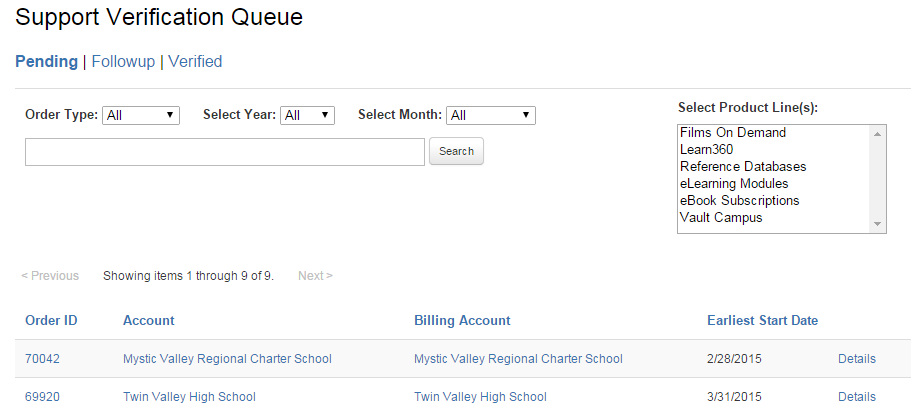
The Support Verification Queue is a new post-order workflow system where Support will verify key items about an account. 14 days after a subscription has been activated, the corresponding Order will now display in the Pending Queue.
To begin verifying an account, click the detail link.
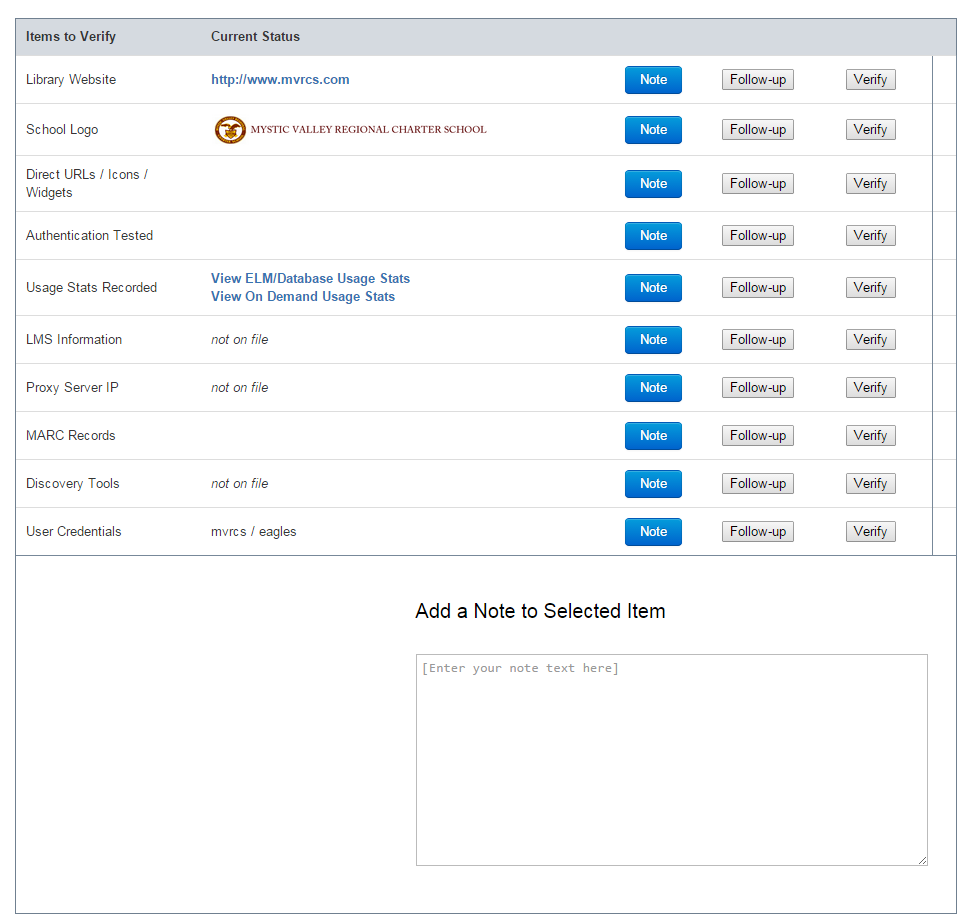
There are 10 key elements to an account's subscription access to be verified. At any point you can add a Note to further clarify an issue you are working on, flag an item for follow-up, or verify that the information we have on file is correct. Flagging an item for follo0w-up will move the account out of the Pending Queue into the Follow-Up Queue. This will separate the account to be looked at in more detail or if a correspondence with the sales rep / customer is necessary.
Here are some general guidelines to the verification process:
Library Website: can you locate on the web where the institution's main library page has posted our database links?
School Logo: can you find and upload the school's logo into the AMS?
Direct URLs / Icons / Widgets: Has the school posted the appropriate access URLs on their library website? (Check Account IDs)
Authentication Test: Confirm that the URLs will work with at least the Account U/P, and see if they have any other authentication methods enabled.
Usage Stats Recorded: Does usage display in the Admin Portal?
LMS Information: Can you verify a specific Learning Management System used by the school? Please log this in the AMS.
Proxy Server IP: Can you locate the Proxy Server IP, where applicable, and is properly labeled in the AMS?
MARC Records: Has the account downloaded and/or utilized their MARC Records available in the Admin Portal?
Discovery Tools: Can you verify a specific Discovery Tool / Federated Search partner that the school uses?
User Credentials: Can you consolidate / update the Usernames we have on file?
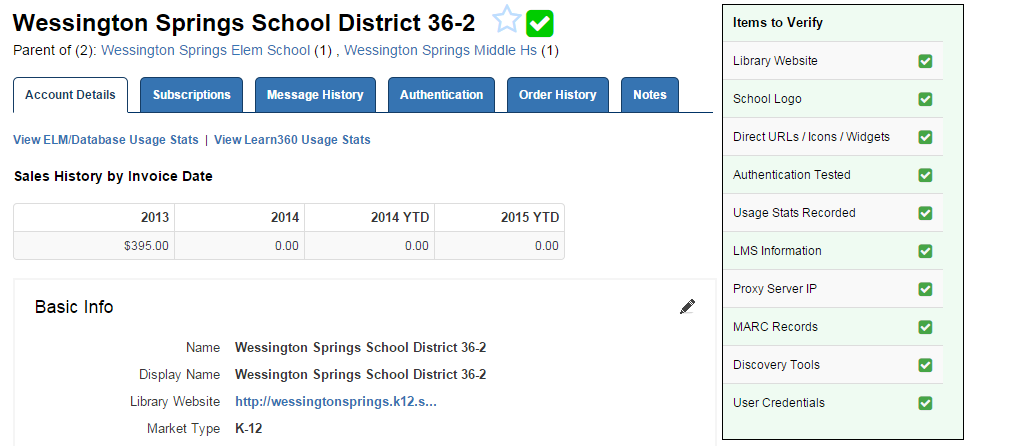
Once an account has been verified, that account is officially "verified" with a new icon which on mouse-over will show you the details. The same rule applies for accounts that are flagged for follow-up.