
This feature is a Manager's Only dashboard widget that needs to be turned on from your user settings.
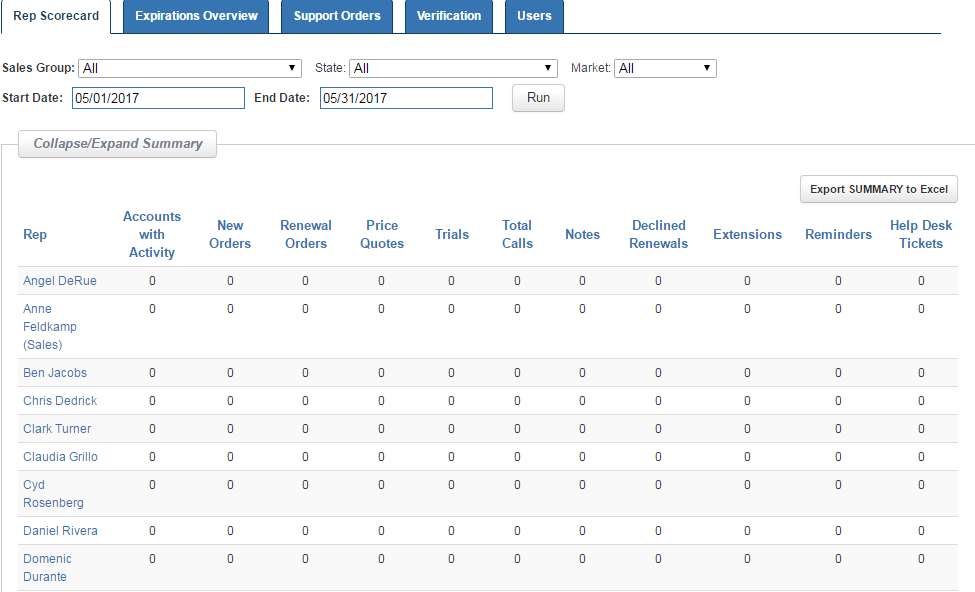
The Rep Scorecard Dashboard tab is a two-part overview summary of rep activity. Filterable by Sales Group, State, Market, and Date - at first glance, you are able to see a full rep summary of the following fields:
- Accounts with Activity - Number of accounts within the specified timeframe that the rep has had contact with. This would include any of the actions listed in the other fields of the report.
- New Orders - Number of New Orders
- Renewal Orders - Number of Renewal Orders
- Price Quotes - Number of Price Quotes sent (not saved)
- Trials - Number of active trials within the specified date range
- Total Calls - Number of both inbound and outbound phone calls
- Notes - Number of Notes the rep has saved
- Declined Renewals - Number of subscriptions that have been declined for renewal
- Extensions - Number of Subscriptions that have been extended
- Reminders - Number of Reminders set
- Help Desk Tickets - Number of total Help Desk Tickets for the rep's accounts
Once you have set a Date range and hit Run, you Export the Summary to excel or click on any individual Rep for more details.
In the Details section, the information will be expanded to include the following:
- Mass Emails - Number of Mass Emails sent
- Accounts Edited - Number of Accounts edited by the rep including changing account or contact information
The following new areas will be included as well:
Expire Report - A snapshot of the first 10 accounts available from the rep's Expire Report
Top 5 Active Accounts - The top most valuable accounts that have had rep activity for the timeframe
Top 5 Orders - The most recent orders placed sorted by dollar value according to the selected date filters
Top 5 Quotes - The most recent quotes sent sorted by dollar value according to the selected date filters
Top 5 Active Trials - The most recent trials created sorted by FTE according to the selected date filters
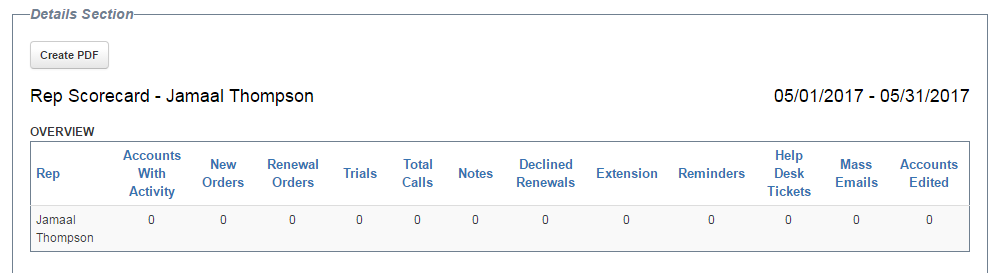
After reviewing the data, you can Export the Rep Scorecard report to a printable PDF.