
With the mass inclusion of MDR data into our Account Management System reaching completion, you will notice a lot more schools listed in your territory. With great power, comes great responsibility, and to avoid creating any more duplicate accounts in what is now a rather large data set - This AMS tip is to be a quick review on how to check the AMS for existing accounts when processing a pending trial request.
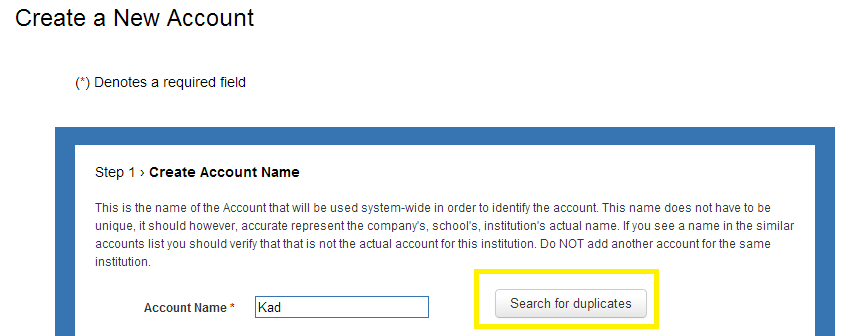
When importing a trial, the first step is to search the AMS databases for an existing account that matches the customer's request.
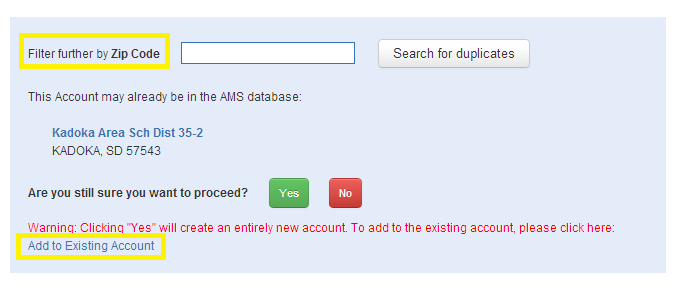
If there are any Account Names matches, you will then have the ability to filter further via Zip Code. Once an exact match is found, you can click the "Add to Existing Account" link to continue the process.