
To help with order processing time and convenience we recently added a new Renew Order feature to the AMS. Instead of re-entering all of the order details every time you want to renew a school’s subscriptions, using this feature will pre-fill the Renew Subscription Wizard with any available information from last year’s order. It will now be possible to renew entire orders, instead of having to make a custom renewal.
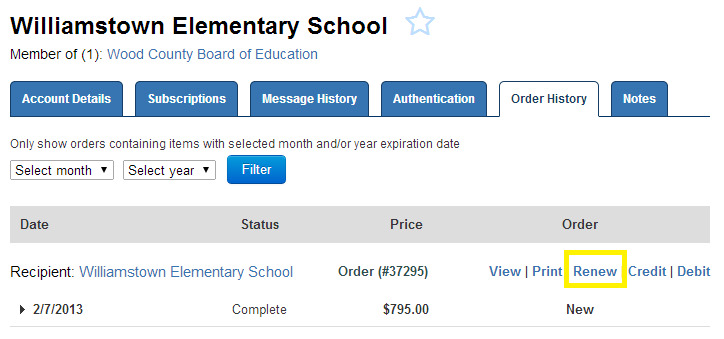
You will first notice the option directly on the Order History tab. Click the “Renew” link next to any order to begin the process.
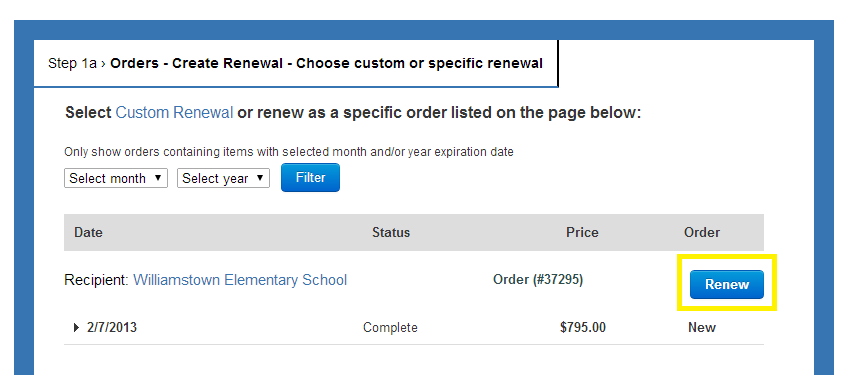
If you go to the Renew Subscription Wizard directly, you will notice a new Step 1a, where you can select from any of the account’s previous orders to renew from. You always have the option to edit the order as you go through the wizard as well.
Bear in mind that the subscription rules for renewals still apply. If you are trying to renew subscriptions that are past 90 days expire, you will not be able to select the products in the Wizard. Start Dates will fill in from the end date of the previous order.