
This AMS build included the following newly built Vault Reports. Below is an image of their location and once a report is selected you can select Show detail for a description of each report.
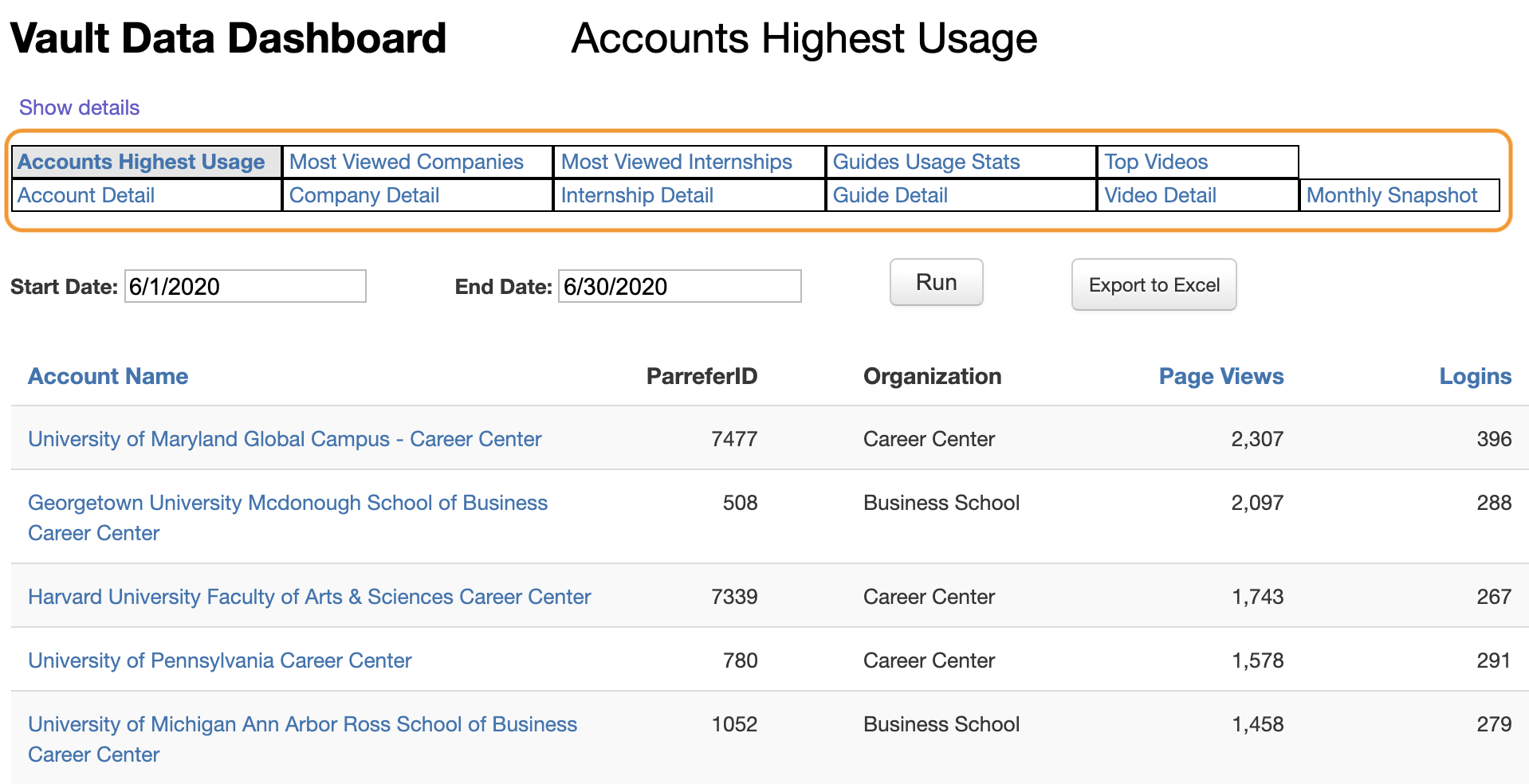
Account Highest Usage:
Accounts with Highest Usage lists Vault Campus accounts from highest to lowest in terms of overall page views for the specified date range.
Account Detail:
The Account Detail report gives detailed usage information for a specific Vault Campus account, including logins, overall page views, searches, guide usage stats, and video views, as well as company, internship, industry, and profession profile views.
Company Detail:
The Company Detail report gives usage information for a specific company profile by Vault Campus account, with the option to filter by state, by sales representative, and/or by school type.
Internship Detail:
The Internship Detail report gives usage information for a specific internship profile by Vault Campus account, with the option to filter by state, by sales representative, and/or by school type.
Guide Detail:
The Guide Detail report gives usage information for a specific guide by Vault Campus account. "Accessed" is the number of times a particular guide was accessed (opened in the eBook Reader). "Downloads" is the number of times a guide was downloaded to users' devices. Important: Guide accessed and page views stats are only logged on the first of the month, and are stored with month but not day. Regardless of the date range for a report, the report will include whatever accessed and page views data exists for the months in that range. Download data is stored with the exact date and so reflects days in the selected date range.
Guide Usage Stats:
Most Viewed Guides lists guides with usage for the specified date range, and includes accessed, page views, and download stats.
Most Viewed Companies:
Most Viewed Companies lists company profiles from highest to lowest in terms of Vault Campus views for the specified date range.
Monthly Snapshot:
Monthly Snapshot:
Monthly Snapshot gives a snapshot of Vault Campus usage data for a specified date range. The report includes Most Viewed Companies, Most Viewed Internships, Most Viewed Guides, Top Vault Campus Usage by Views, Top Vault Campus Usage by Logins, and Most Searched Terms (Vault Campus). The report also includes Most Searched Terms (Gold Members).
Top Video:
Most Viewed Videos lists internship profiles from highest to lowest in terms of Vault Campus views for the specified date range.
Video Details:
The Video Detail report gives usage information for a specific video by Vault Campus account.