Improvements:
- Series - Contract Terms page - Series now have a contract terms page and you have the ability to specify a series-level advance if required.
- Series - Automated taxonomy assignment - Series will automatically inherit assigned title-level taxonomies through a new nightly process, assuming that at least 3 titles in a given series all agree with each other, meaning that they share the same exact taxonomy.
- Series - Lock/Unlock Taxonomy - Added ability to lock/unlock taxonomy for a series, to add/remove from the new nightly process update. There is a "Lock Taxonomy" button on the left side, below the Series page menu items.
- Bulk Change Large Batches - The Bulk change will work from the producer titles page now. Please keep in mind that any bulk change ONLY works on the currently displayed number of results and has NEVER worked on ALL results. If you have 2,500 titles and are showing 500 results per page, you would need to perform that same bulk operation 5 times.
- Bulk Change Producer Run-time - You can now bulk change the producer run time field via the metadata panel.
- Bulk Renew/Bulk Move - was added to the main video titles search results page (Lulu request).
- Producer Titles page - Is now super FAST and has improved filtering and sorting capabilities.
- Producer Contract Titles Report - is now super FAST as well.
- Title Usage - We fixed an issue with this page displaying inaccurate data. Now all lifetime usage is accurate. We also removed the report configuration from this page and moved the Lifetime per platform totals to the very top of the page.
- Contract IDs/Amendment IDs - Now correctly display on the contract terms page and producer titles page when a title is added to an amendment.
- Contract advance auto-summarization for non-CC - the CMS will total up all title and series level advances when the contract is not cross-collateralized.
- Watching - has been changed to use a new icon (eye). See below under new features for why.
- Default Royalty %'s - Streaming, Databases, DVD, A-la-carte, and remit all have default percentages when you create new contracts and amendments.
- Taxonomy Collection Management - Collections can now be managed by admins for all taxonomies, not just the academic taxonomy.
- Platform Homepage Sliders - We added the content type to search results and now prevent you from being able to add the wrong content-type based on the slider you created. We also keep the pop up open if you make a mistake so you don't have to start all over again.
New Features:
- Featured Producer/Sub-producer management - Yes, it's true, you can finally manage which producers are featured on which video products from within the CMS! We changed the watching icon to an EYE and now use the star to signify a featured producer. If you mouse over a yellow star, it will show you the platforms it is currently featured on. If the star is not yellow, it is not a featured producer. To set or change the platforms, click on the Set as Featured button below the menu.
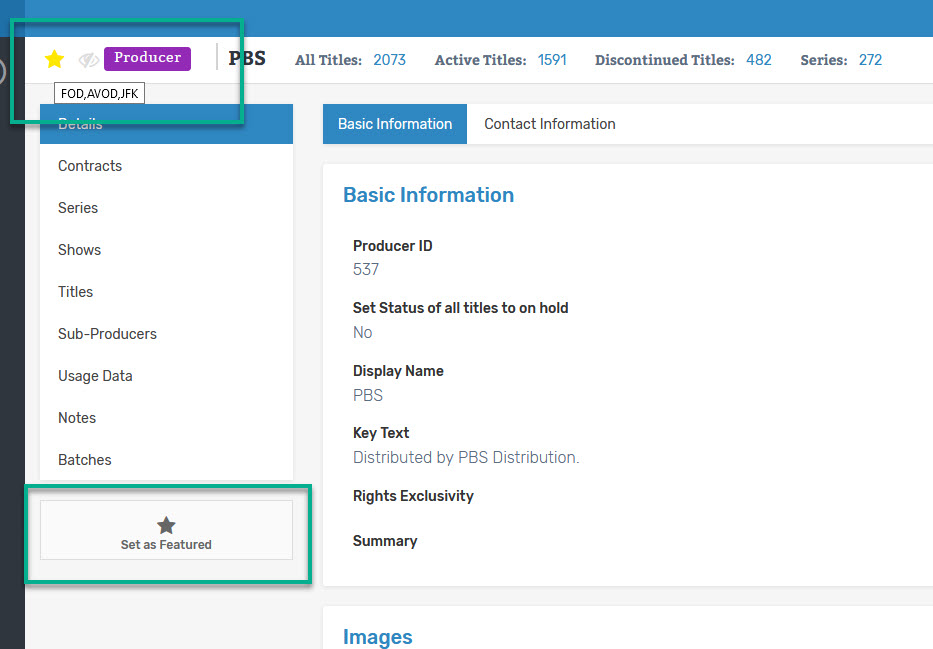
- Sub-producer management - you now have a section under the Video content type dedicated to the sub-producers along with title counts and the ability to view them separately in the CMS. You can also add logos to these, which they all need. As mentioned above, you may also set a sub-producer as being featured or not and adjust the platforms it is already featured on.

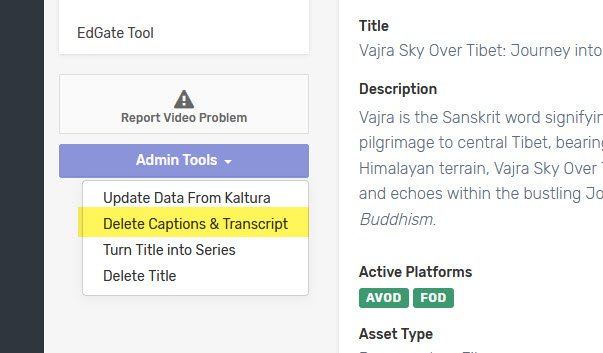
- Delete Captions & Transcript admin option - Requires admin rights, but you can now remove bad captions and transcripts and reset the title back to a point where new captions can be requested without needing a developer to help.